

QML, user interface language
Qt Markup Language is a declarative UI language.
It is compatible with the Qt framework and interfaces with its API. It can be extended with C code holding calls to this API.
To use the runtime, Qt Declarative, must be added to the Qt framework.
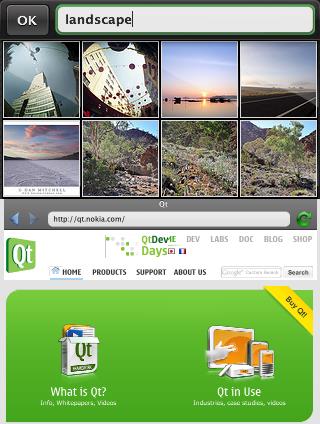
QML demos: gallery and browser
Why use QML?
Building an interface on the Qt environment is easier with QML as it is easier to describe a Java interface with JavaFX, which is similar (while other platforms make use of XML, such as XAML for example).
Just one instruction is needed to display "Hello World!" cons seven in Qt as you may see on the list of "Hello World!" in all languages.
The processing can be much slower however with than the use of direct calls to the Qt framework, so the language is best suited for small applications with a simple interface, and less for heavier applications. One may also use QML during the development phase and then optimize the final application by translating in Qt if it is too slow.
It is generally recommended to use QML for mobile and Qt only on the desktop, maybe because a loading time shorter with QML.
According to the editor, the runtime being installed on a server, a QML application can works on the Web with HTTP, making it an alternative to HTML. A HTML page may be generated also by QML to be viewed in a browser and be powered by JavaScript.
QML has a JSON rather than XML syntax
Choosing a C inspired syntax allows for faster file processing and a reduced size. It is the principle of JSON too.
- Objects are described as C structures.
- There is no semicolon at the end of statements with a line break (as in JavaScript/Scriptol/Go).
- An object can be defined by a combination of other objects.
- The values of the properties of an object may be JavaScript expressions. We can associate a list of conditions-actions to a property.
- State, Transition, Animation are blocks that are associated with graphical objects (such as Image, Rectangle, Text, etc.).
- State is a block that describes a set of properties that are applied to an object when a condition is met.
- Transition is a declaration that shows a change in time.
- Animation describes the evolution of an object through changes of its properties.
Code samples
Drawing a rectangle enclosing the words "Hello World!".
Rectangle {
   width: 200
   height: 200
   color: mouse.pressed ? "blue" : "red"
   Text {
     text: "Hello World"
     anchors.centerIn: parent
   }
}
Including JavaScript code ...
Rectangle {
   function calculateHeight() {
     ... statements...
     return x;
   }

   height: calculateHeight()
   width: {
      if (height > 100) 200; else 50
   }
}
More on the new Qt site. We can be found on qt-project.org a demonstration showing how to build a browser interface in QML, with all the necessary widgets.